


Products
Search
Manufacturers
Services
Calibrations (Accredited laboratory) Maintenance - Repairs Department of Cleanroom Validation (Lloyd's Register Certified)) IQ/OQ/PQ Temperature/ Humidity Mapping Occupational Health & Safety Measurements Validation Studies Vibration and Noise studies Laboratory OrganizationClarity Chromatography Software




Clarity Chromatography Software
Clarity is a chromatography data software for data acquisition, processing, and instrument control in regulated environment.
Manufacturer : DataApex

CLARITY CHROMATOGRAPHY SOFTWARE
(scroll down and click on the link for a Clarity demo version dowload)
|
||||||||||||||||||||||||||||||||||||||||||||||
|
Clarity is a chromatography data software for data acquisition, processing, and instrument control in regulated environment.
Optional control modules provide integrated control of selected instruments such as GCs, LCs, pumps, detectors, autosamplers, etc. Extensions provide functions for specific separation techniques or calculations such as PDA, GPC analysis, Mass spectrometry, or SST. Clarity can run in English, French, German, Russian, Spanish, and Chinese language. Support technicians and developers are close to their users and ready to provide extensive Support from DataApex.
CLARITY - MAIN FEATURES
|
CLARITY CHROMATOGRAPHY SOFTWARE - SCREENSHOTS |
|
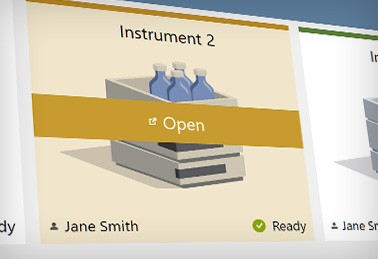
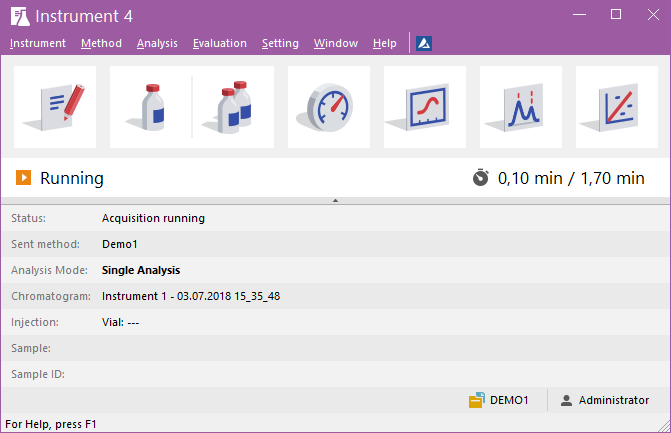
Clarity window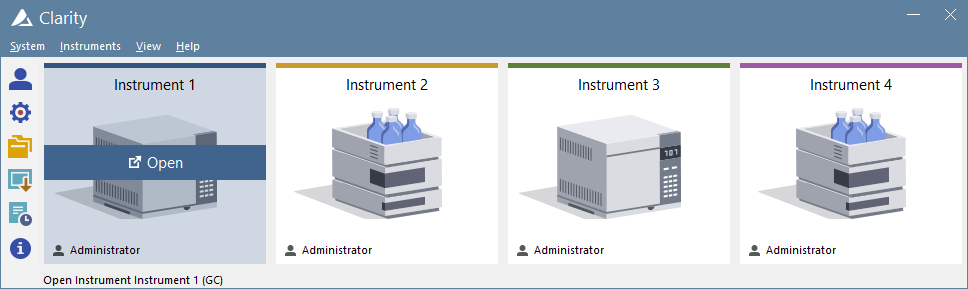 The Clarity window is an entrance point to individual chromatography systems. Depending on the configuration users can acquire data from up to 48 detectors configured on four independent Instruments. See Also: Clarity - Example of two instrument configuration Instrument window The Instrument window is the control center of the whole process of data acquisition and evaluation. It includes information table displaying the processed sample: name, applied template method, acquisition mode, etc. The status line indicates the current state of the analysis: elapsed time and state. The analysis-processing diagram provides icons for fast access to every process of the whole procedure. See Also: Instrument window tutorial Chromatogram window
The Chromatogram window displays the chromatogram and results. Users can easily edit acquired chromatograms visually in the graph or through Integration table.
Calibration window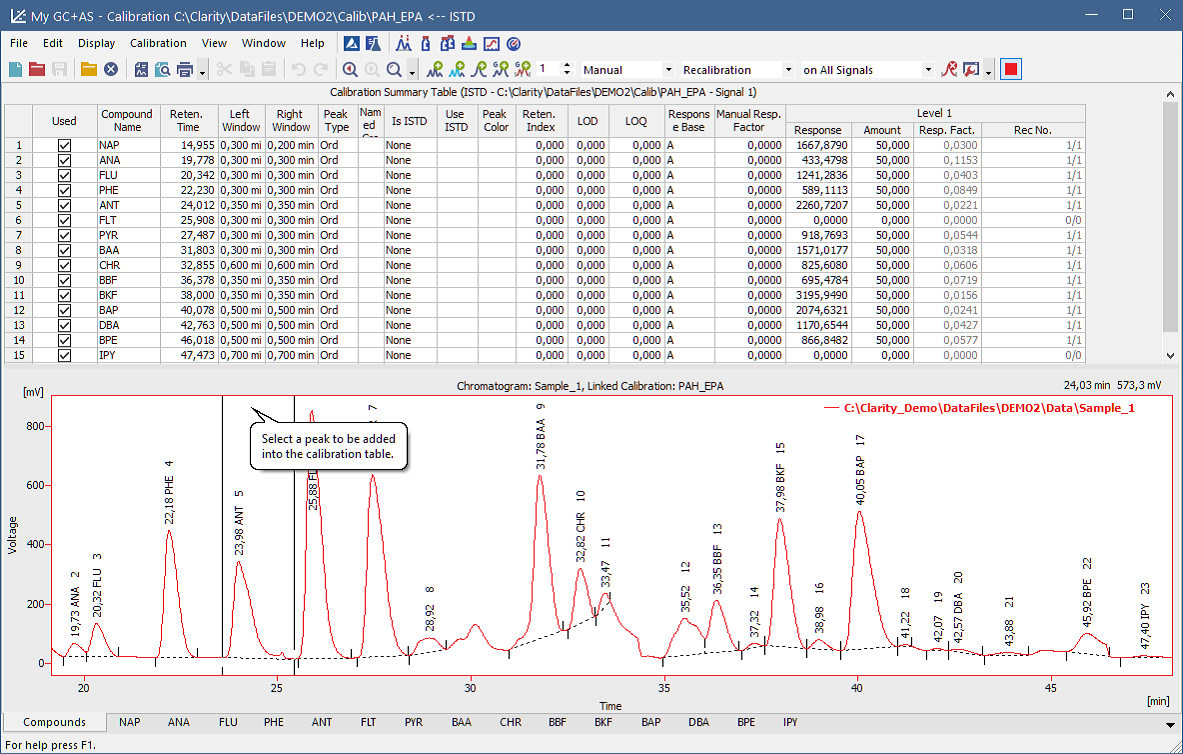 The Calibration window has two main screens, a global calibration table and dedicated tabs for each compound (on the screenshot)
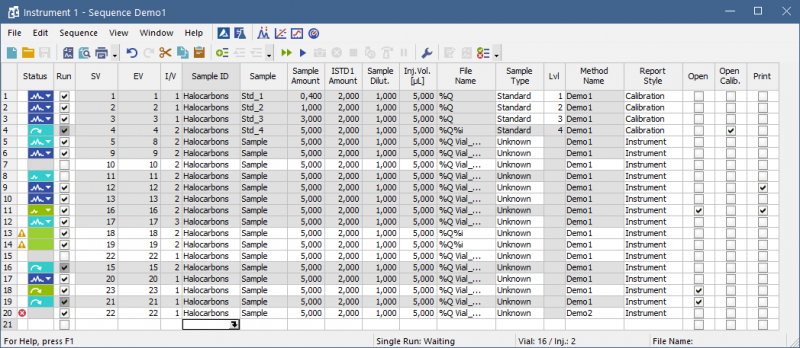
Sequence The Sequence table can be easily edited, using the fill down the user can easily compose the sequence with many injections. The status of each row is indicated by the colored symbols.
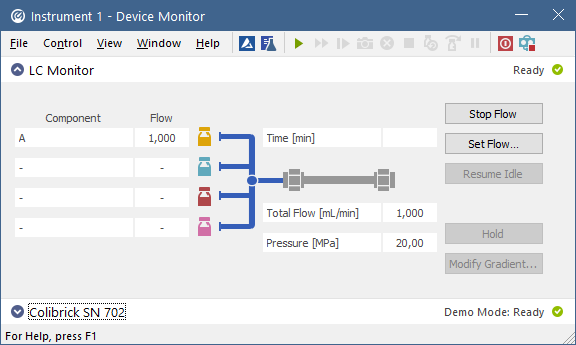
Device Monitor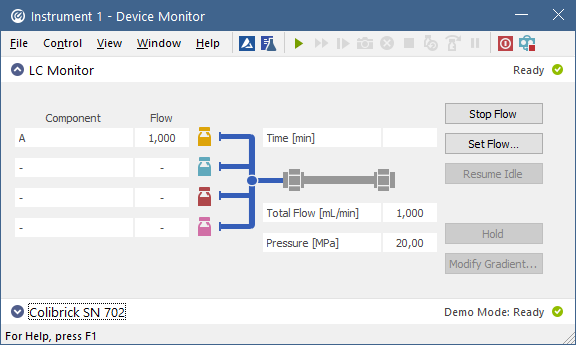 The Device Monitor lets you control parameters of your instruments during the analysis.
Event Table The Event table allows to control digital outputs, analysis, sequence or run a specified command based on events such change of state of digital input, signal level, analysis time, etc. The Colibrick A/D converter supplied by DataApex provide digital outputs that can be used for Start synchronization with other devices. These outputs can also be controlled from the Event Table. The setting on the image is used to control Fraction Collectors. |
CLARITY 21 CFR PART 11 COMPLIANCE |
|
Clarity, Clarity EA and Clarity Offline softwares provide variety of tools supporting the GxP practices. These tools enable to configure the chromatography station in a way to comply with the requirements of the 21 CFR Part 11 directive of the FDA. This ensures its suitability for use in regulated environments. See the Clarity in Regulated Enviroment guide. Do you own Clarity Lite? Upgrade to Clarity on favorable terms which enables your Chromatography Software to be compliant with 21 CFR Part 11. Supporting tools for 21 CFR Part 11 requirements1. Software ValidationCertificate of Software Validation is available upon request. 2. Installation QualificationThe Test IQ (Installation Qualification) is an integral component of the station. This test monitors that the software has been properly installed and the results can be accessed from a printed protocol. 3. Operational QualificationValidator for OQ (Operational Qualification) is an optional package available for testing and validating the station. This is accomplished simply with the use of our chromatogram generator and a software utility. 4. Logon with Password5. User AccountsSelectable rights, unique user profiles This system allows to create a unique password protected profile for each user. The user profile then defines in detail the user's rights within the station (e.g. authority to effect changes in the methods of measurement) and may limit ones access to only certain connected instruments. 6. Password expiration and minimal length7. Electronic SignaturesElectronic signature implemented. A user may sign his or her data. This electronic signature is stored with the name and date and supplemented with a set phrase (e.g. measured by, approved by, etc.). Two types of electronic signatures have been implemented: a) using user accounts b) using a certificate. The signature information associated with the signing that indicates the printed name of the signer, the date/time, and the meaning, is included in any readable form of the records (see paragraph 11). Certificates used for electronic signatures are not part of Clarity installation and such certificates are to be provided by certification authorities. DataApex does not issue any certificates for electronic signatures. 8. Audit TrailAudit Trail of whole system, chromatograms, calibrations and sequence. Audit Trails are part of corresponding files. Detailed logs and histories of modifications enable users to maintain an audit trail. The station documents all parameters describing the conditions and methods of data processing for the user. This allows for easy access to a complete profile of information regarding any prior modification's performance. 9. Record of all changesHistory of all methods and calibrations as part chromatogram files. 10. System Suitability TestMethod performance and system consistency monitoring. 11. Printed reportsPage numbering, labeled with date and time of analysis and print out, includes information about applied electronical signatures. Reports can be printed to electronically signed PDF files. |
CLARITY DEMO VERSION
|
Clarity DEMO version allows you to get your hands on the Clarity software.
- Preview all Clarity functions - Experience the look and feel of working with Clarity - Data acquisition simulated from a data file - Demo data for data processing - All controlled instruments available in a demo mode - A demo version cannot be connected to instruments
|